A TikTok blocker that makes you do pushups first
Every app on your phone wants your attention, but TikTok is the one where people say, “I looked up and it was an hour later.” People rarely say that about email. It happens because of how the app is designed, so a willpower fix won’t hold. A pricing fix can.
Why TikTok time disappears
- There’s nothing to finish. A YouTube video ends and a Reddit thread runs out of comments. The For You feed never runs out, so you never reach a point where it feels natural to stop.
- Each video is short, but the session isn’t. Fifteen seconds feels like nothing, so you never feel like you’re deciding to spend an hour. Eighty videos later, you have.
- It learns quickly. The feed adjusts to what you linger on, often within the same session. The longer you stay, the better it gets at keeping you there.
- You don’t have to do anything to keep going. The next video just starts. Stopping is the only thing you have to actively do.
Put those together and you lose track of time. TikTok’s own screen time limit exists, but it’s protected by a passcode you set yourself. When you’re thirty videos deep, you’ll just type it in.
Two things that actually help
A price to get in. Squats or pushups before the app opens break the reflex. You pick up the phone and see a lock screen instead of the feed, and that’s the moment you get to decide whether you want it.
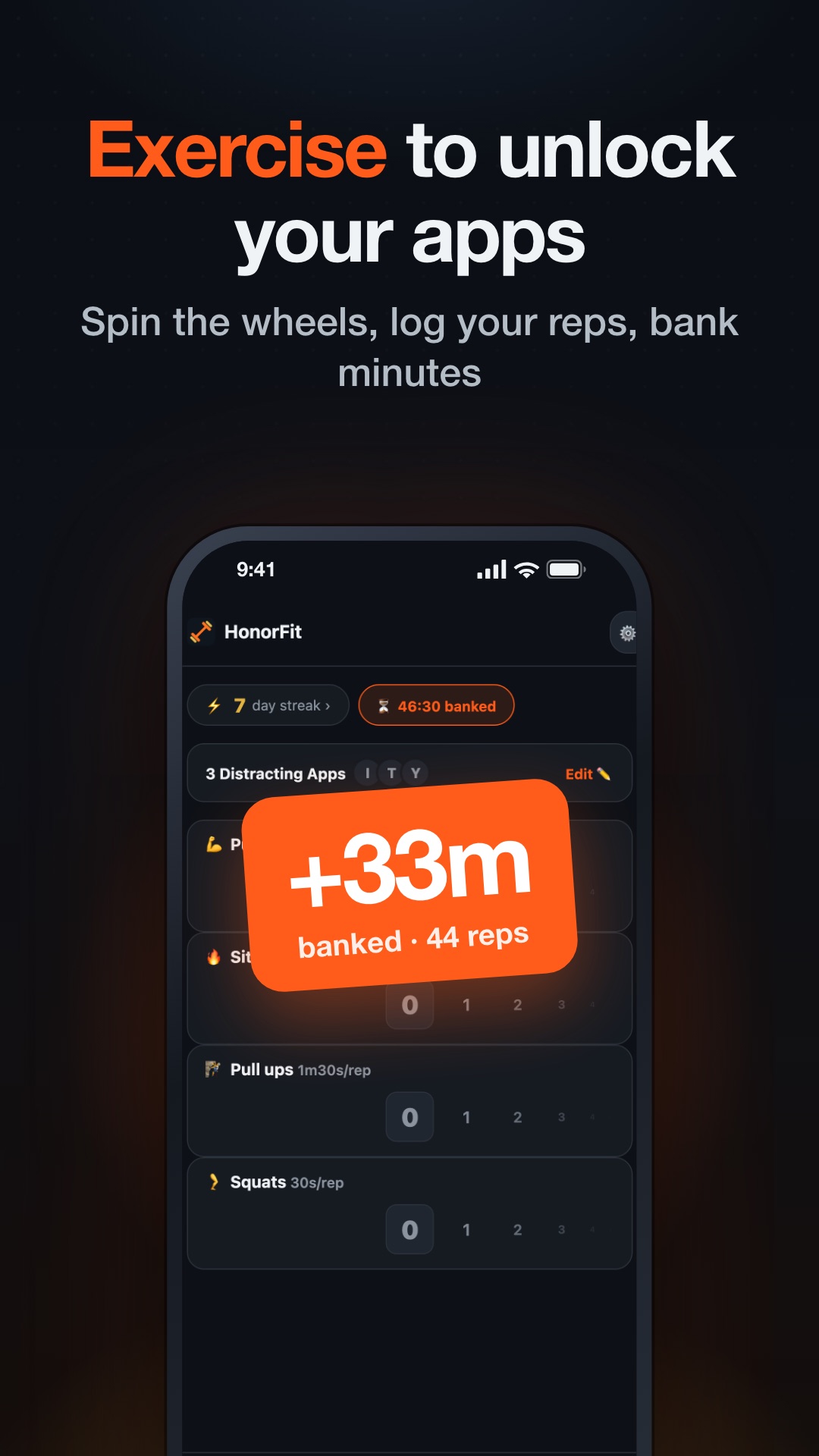
A clock you can see. This one matters more for TikTok than for any other app. Your earned balance counts down while TikTok is on screen and pauses when you leave. On iPhone, HonorFit shows the time you have left as a quiet notification. On Android, it sits in the notification shade. Swipe down and you’ll see exactly how many minutes you have left, which is the stopping cue the app leaves out. When it hits zero, TikTok locks again in the middle of a video.
Lock TikTok on iPhone
- In HonorFit, tap Grant Screen Time Access and approve it. This is Apple’s Family Controls permission, which every iPhone app blocker needs.
- Tap Choose Apps to Block › Open App Picker and find TikTok. Apple sorts apps into categories, so the picker’s search is the quickest way to find it.
- Tick TikTok and close the picker. From now on, opening TikTok shows “TikTok is blocked 🔒” until you’ve earned time.
iPhone only lets Apple’s lock screen open the app it belongs to, so it can’t send you straight to HonorFit. Instead, HonorFit posts a notification when the lock screen appears. Tap it to go to the rep wheels.
Lock TikTok on Android
- On HonorFit’s Permissions required card, allow App usage access and Display over other apps. Also set battery usage to Unrestricted under Settings › Background reliability, or some phones will quietly stop the blocker.
- Open Choose Apps to Block, then search for “TikTok” or find it under Apps (last 24 hours). If you also have TikTok Lite, tick that too.
- When your balance is empty, TikTok opens behind a full-screen lock with two buttons: Earn more time 💪, and “Never mind, I’ll stay strong 🧘”. I added the second button because a lot of the time, that’s the answer.
A rate for TikTok
TikTok burns time faster than chat apps, so I’d make its minutes cost a bit more. HonorFit’s defaults already give you the options:
- Squats earn 30 seconds each. 20 squats buy 10 minutes. You can do them anywhere, including a small room where pushups don’t fit.
- Pushups earn a minute each. 10 pushups buy 10 minutes, if you prefer upper-body work.
- The free version banks up to 20 minutes, and one set on the wheel tops out at 20 reps. That limits how much TikTok you can pre-load, which is the point.
If ten minutes still ends up being forty, Pro has two options. You can change what each rep earns, or turn on hard mode from the home screen, which halves every rep. I’d try the free defaults for a week before changing anything. Most people find the first few days are the hardest.
What this won’t fix
If you can’t open the app, you might open tiktok.com in a browser. HonorFit locks apps, not websites. If that becomes your workaround, use your phone’s built-in website limits for it.
And because HonorFit runs on the honor system, you can type in reps you didn’t do. There’s no camera watching you, by design. If you find yourself doing that every day, the rate is probably too harsh. Loosen it a little rather than giving up on the app.
HonorFit Blocker puts TikTok behind a set of squats or pushups and shows your time counting down while you watch. Free on iPhone and Android. No camera, no AI, no account.